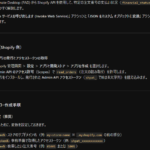
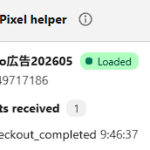
こりゃ便利だ。
[wc_row][wc_column size=”one-third” position=”first”]
Sample Content
[wc_box color=”danger” text_align=”left”]
Sample Content
[/wc_box]
[/wc_column][wc_column size=”one-third”]
Sample Content
[wc_accordion collapse=”0″ leaveopen=”0″ layout=”box”]
[wc_accordion_section title=”Section 1″]
Sample Content
[/wc_accordion_section]
[wc_accordion_section title=”Section 2″]
Sample Content
[/wc_accordion_section]
[/wc_accordion]
[/wc_column][wc_column size=”one-third” position=”last”]
Sample Content
[wc_divider style=”image” margin_top=”” margin_bottom=””]
[wc_divider style=”image2″ margin_top=”” margin_bottom=””]
[wc_divider style=”image3″ margin_top=”” margin_bottom=””]
[/wc_column][/wc_row]
[wc_row][wc_column size=”three-fourth” position=”first”]
Sample Content
[wc_button type=”primary” url=”http://webplantmedia.com” title=”Visit Site” target=”self” position=”float”]Sample Content[/wc_button]
[wc_googlemap title=”St. Paul’s Chapel” location=”209 Broadway, New York, NY 10007″ zoom=”10″ height=”250″ title_on_load=”no” class=””]
[/wc_column][wc_column size=”one-fourth” position=”last”]
Sample Content
[wc_pricing type=”primary” featured=”yes” plan=”Basic” cost=”$19.99″ per=”per month” button_url=”#” button_text=”Sign Up” button_target=”self” button_rel=”nofollow”]
- 30GB Storage
- 512MB Ram
- 10 databases
- 1,000 Emails
- 25GB Bandwidth
[/wc_pricing][/wc_column][/wc_row]